
Your memory graph is private by default. When you want to, you can share it with specific friends or make it public, and you can subscribe to other people’s graphs so their memories fold into your own search. Manage all of this in Settings → Knowledge Graphs.
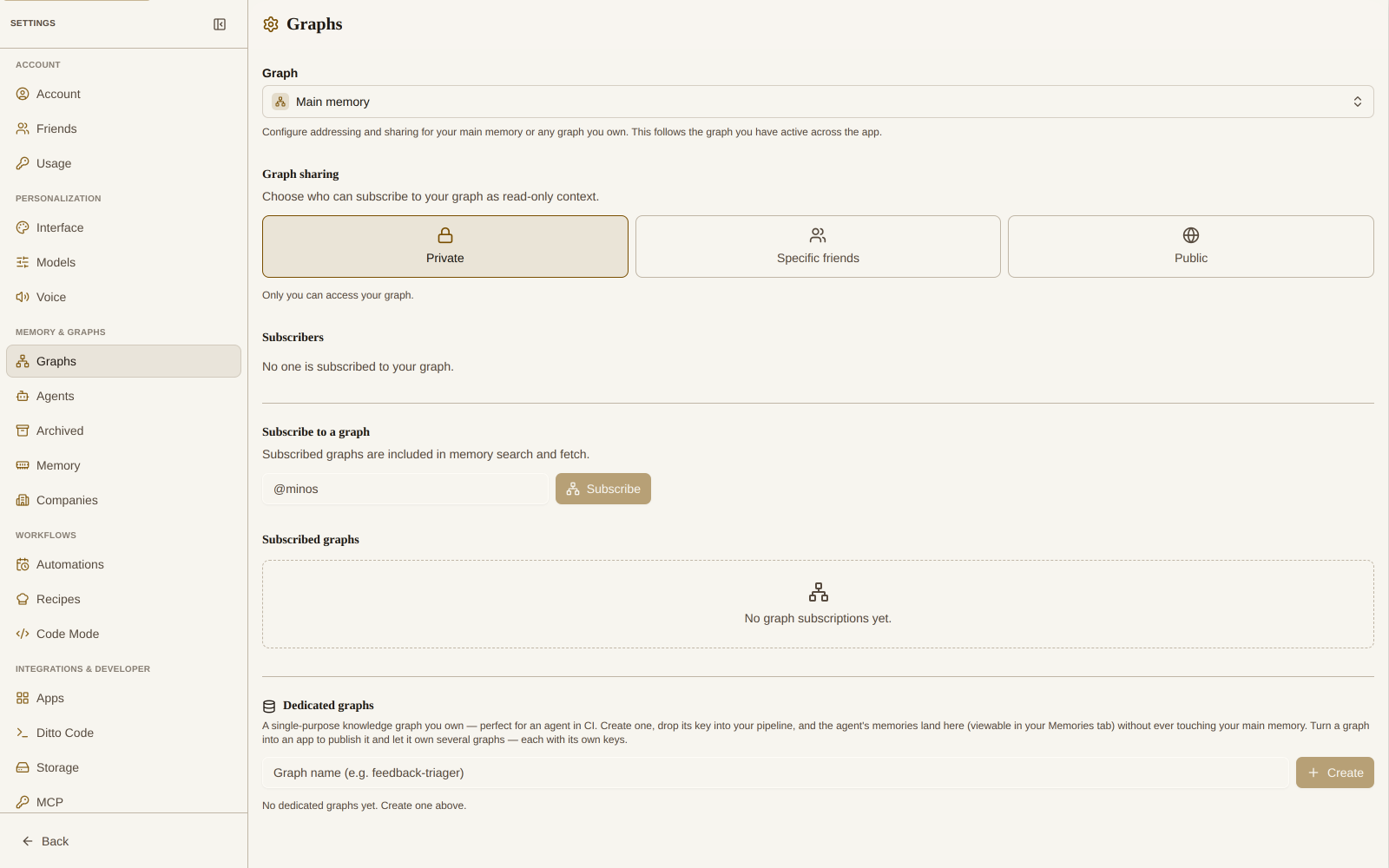
Visibility
Choose who can reach your graph:
- Private — only you can access your graph. This is the default.
- Specific friends — only the friends you choose can search and read your graph.
- Public — anyone can search and read your graph, but no one can edit it.
Sharing and subscriptions are read-only for everyone but you. Others can search and read what you share; they can never modify or delete your memories.
Share With Specific Friends
When you set visibility to Specific friends, an allow-list appears:
- Type a friend’s handle into the @friend field (autocomplete suggests matches).
- Click Share.
The friend allow-list with Share/Revoke lives under Settings → Knowledge Graphs once visibility is set to Specific friends.
Each friend you have shared with is listed by name and handle. Click Revoke next to anyone to remove their access. If the list is empty, you have not shared with anyone yet.
The “Shared with you” Inbox
When a friend shares their graph with you, it lands in the Shared with you panel. Each invitation shows the graph’s name, the owner’s handle, and an optional description. You can:
- Subscribe — include the graph in your memory search and fetch.
- Dismiss — clear the invitation without subscribing.
The panel stays hidden when there is nothing waiting.
Subscribe to a Graph
You can also subscribe directly. In Subscribe to a graph, type a handle (for example @minos, a public foundation graph) and click Subscribe. Subscribed graphs are included in your memory search and fetch alongside your own memories.
Manage Subscriptions and Subscribers
- Subscribed graphs lists everything you subscribe to, each with the owner’s name, handle, and description. Click Remove to unsubscribe. If an owner stops sharing, the graph shows No access and is excluded from search; it resumes automatically if they share again, or you can remove it.
- Subscribers shows who is subscribed to your graph, by name and handle.
Company Access (Dedicated Graphs)
Dedicated graphs add a Company access section to this same sharing panel — Google-Docs style “share with a group.” Pick a company you belong to and a role; every member inherits it:
- Viewer — members can read the graph (and mint read-only keys).
- Editor — members can read and write (and mint read-write keys).
- Admin — members can also manage sharing.
Your main memory graph can’t be shared with a company; this section only appears on dedicated graphs.
From the CLI
Agents and power users can manage public-graph subscriptions with the Ditto CLI’s graphs command: graphs list, graphs add @user, graphs remove @user, and graphs subscribers.
Related
- Visualizing Your Memory Network — explore your graph visually
- App Permissions — the
read your subscribed graphsscope - Agent Accounts — pre-subscribe agents to foundation graphs
- Ditto CLI — manage subscriptions from the command line