
Getting started with Ditto takes less than a minute. Create an account, sign in, and start building your memory companion.
Creating an Account
- Visit assistant.heyditto.ai
- Choose a sign-up method:
- Email & password: enter your email and create a password
- Continue with Google: sign in with your Google account
- Continue with GitHub: sign in with your GitHub account
- Start chatting, your memory network begins building immediately
Sign-In Methods
Ditto supports three authentication methods:
| Method | How it works |
|---|---|
| Email & Password | Traditional email and password login |
| Google OAuth | One-click sign-in with your Google account |
| GitHub OAuth | One-click sign-in with your GitHub account |
Linking Multiple Accounts
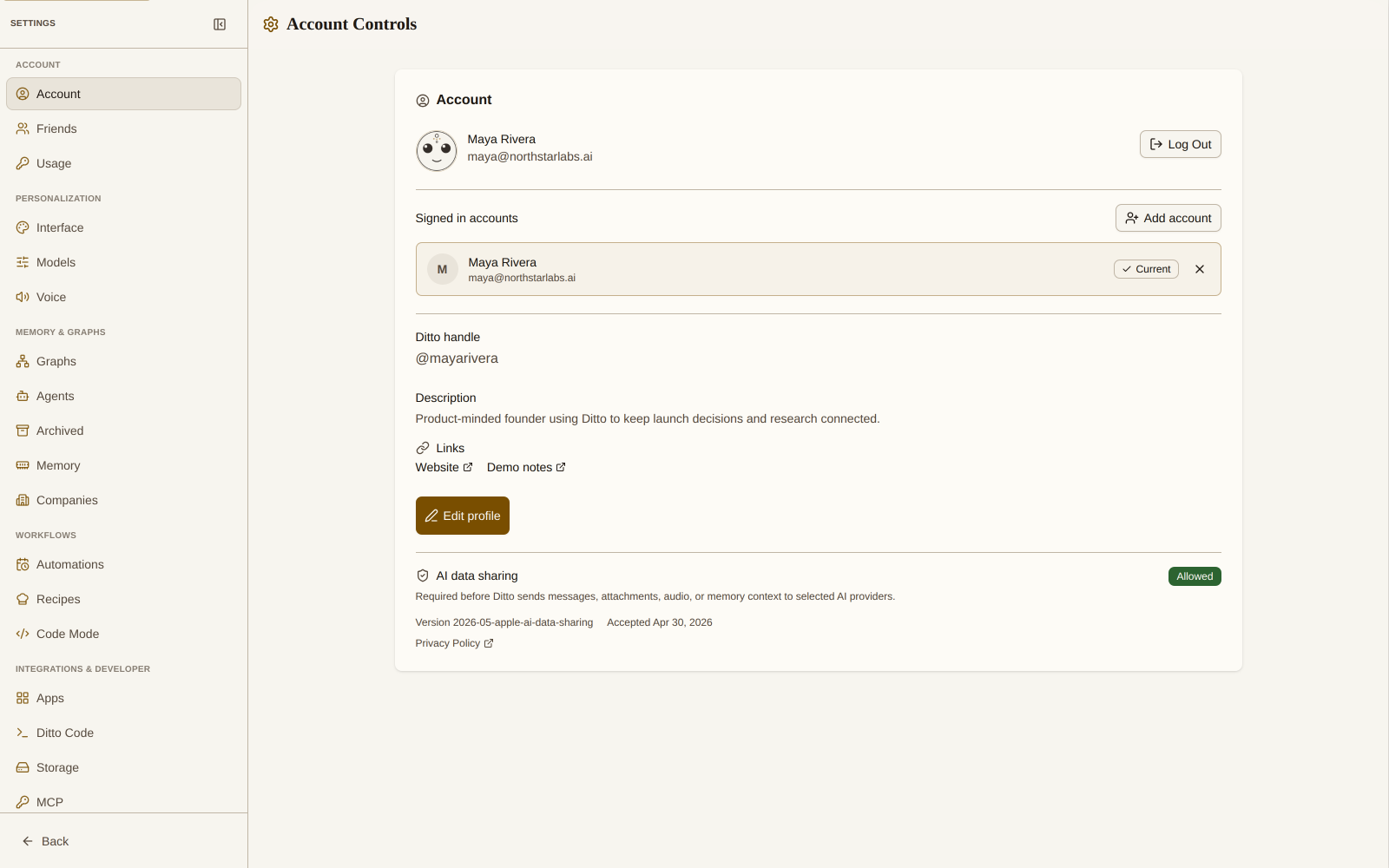
You can link multiple authentication methods to a single Ditto account. This gives you flexibility in how you sign in and enables integrations.
Go to Settings → Account → Linked Accounts to see your current connections and link additional methods.
Profile Management
Your profile includes:
- Display name: shown in conversations (click the pencil icon to edit)
- Email: your primary account identifier
- Avatar: pulled from your linked Google or GitHub account
Password Reset
If you forget your password:
- Go to the login page
- Click Forgot your password?
- Enter your email address
- Check your inbox for a reset link
Security
- All authentication is handled through secure OAuth 2.0 flows
- Passwords are hashed and never stored in plain text
- Sessions are managed with secure, HTTP-only tokens
- You can log out from any device via Settings → Account → Log Out