The Sign in with Ditto page looks like Ditto
When an app asks to connect to your Ditto account, it sends you to auth.heyditto.ai. That page used to show the word “Ditto” in plain text, use your system font and stay light in dark mode.
The merged build uses the same sign-in components as the Ditto app: the DITTO wordmark, the Ditto typeface, outlined sign-in buttons with each provider’s icon, and a dark mode that follows your system setting. Only the look changed. Signing in, choosing an account and approving an app work as before.
On 6 November 2026, auth.heyditto.ai/login was still serving the previous page: the word “Ditto” as text, and Continue with Google, GitHub, Apple and X. The After image is that merged build, captured on a local test server.
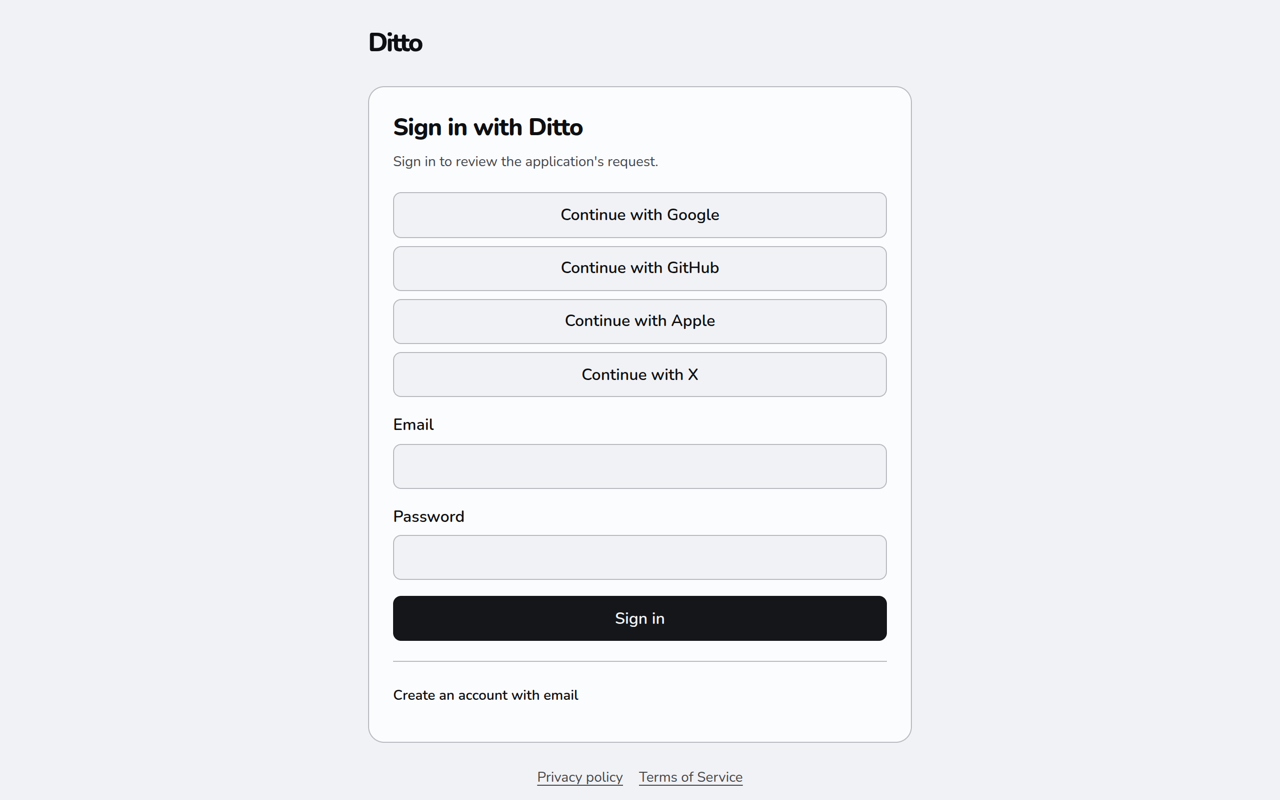
Before.
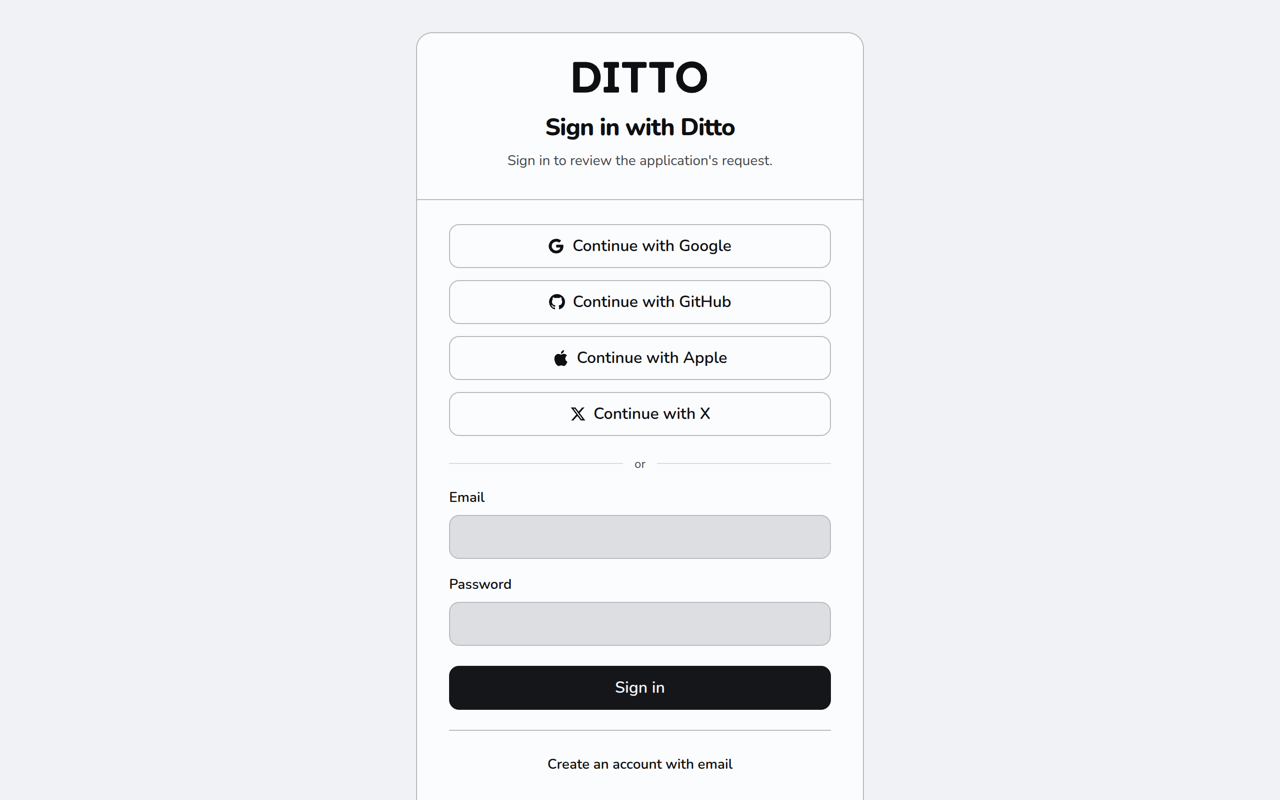
After.
If ChatGPT or Codex shows an old list of Ditto tools
ChatGPT stores the Ditto tool list from the moment you add Ditto as a custom connector. Codex desktop reads that stored list. A direct connection to https://api.heyditto.ai/mcp asks Ditto for the current tools instead.
On 5 November 2026, Codex on one account showed six tools: search_memories, fetch_memories, save_memory, search_subjects, search_memories_in_subjects and get_memory_network. That matches the catalog Ditto registered on 1 April 2026. publish_memory, the next tool, landed on 14 May 2026. In the stored copy, search_memories accepts only queries. Ditto replaced the stored save_memory description on the server on 24 August 2026. The server has no way to hand those old schemas out again. An allowlist can drop tools from the current catalog.
A connector allowed to read your memory should also list list_spaces and list_memories. Those two need read access and no extra rollout flag. A list that stops at the six names above is the copy ChatGPT saved.
To ask ChatGPT for the current list:
- Open the Ditto connector in ChatGPT and choose Refresh.
- Start a new Codex conversation.
We have not run that refresh on this account. If the new conversation still shows the April list, delete the files in ~/.codex/cache/codex_apps_tools/ and start another conversation. After that, remove the connector and add it again. Adding it again can give the connection a new address.
The write-up is in the engineering docs (backend#4307). The merge changed those docs. The running API stayed on the previous build.
You can also register Codex directly, which requests the current tools. The steps are in the MCP server docs:
codex mcp add ditto --url https://api.heyditto.ai/mcp
codex mcp login ditto
A current list still includes only the tools that connection may use. Some tools, including peer inbox tools, stay behind a rollout flag. A connection allowed only to read memory leaves out tools that save or change memories.