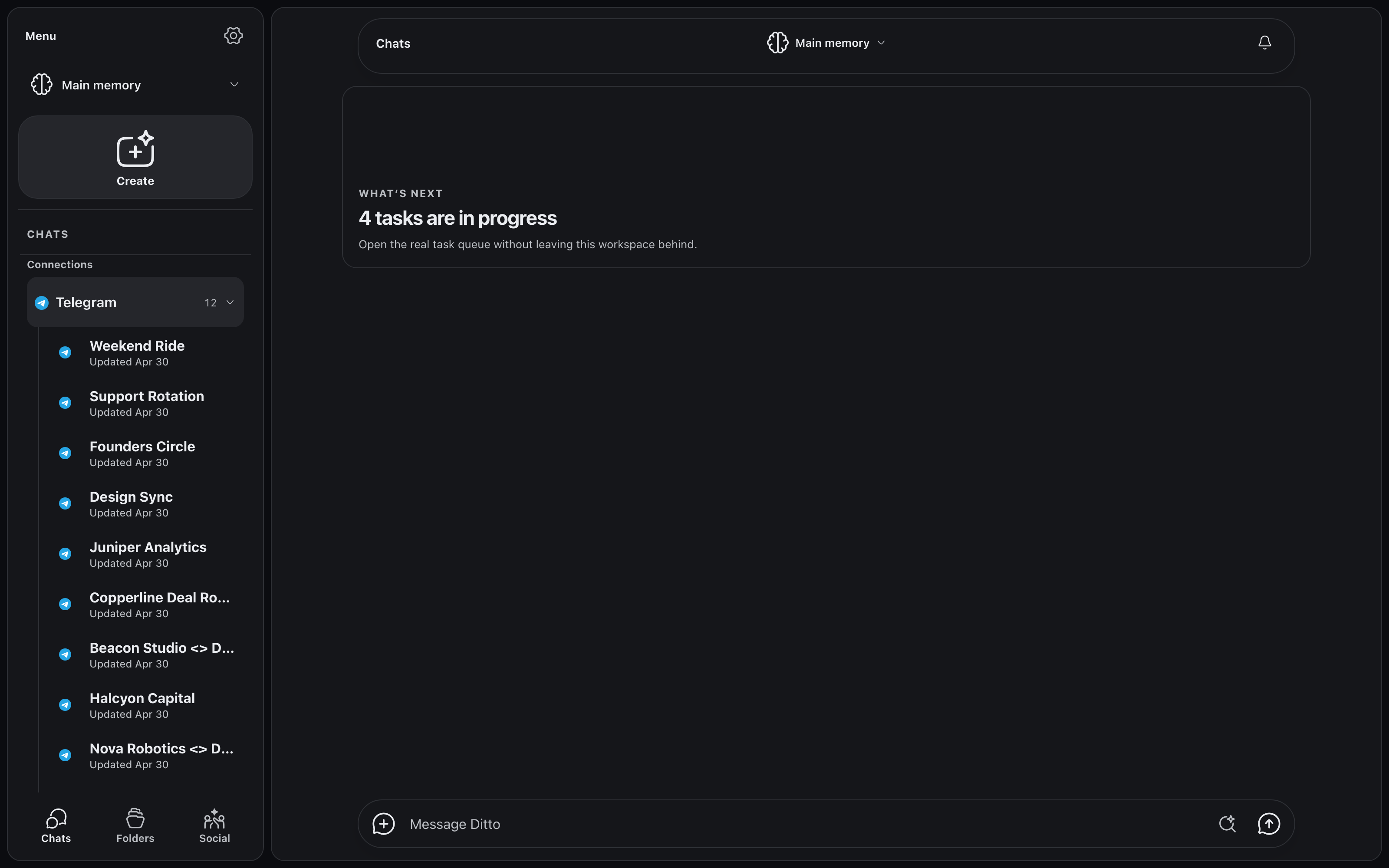
Telegram, Slack, and Discord in one inbox inside Ditto. Each chat
renders like the app it came from and stays in sync on its own. Reply
as yourself. And every conversation feeds a single memory your agents
put to work.
Connector messages land in your main Ditto memory, the same memory
Ditto already serves over MCP. So Claude Code, Cursor, Codex, and any
other MCP client you have pointed at Ditto can search what your team
said in Slack, Telegram, and Discord, right beside the code work Ditto
tracks for you. Your agents read the repo. Now they read the room.
Chats flow into one memory; your coding agents read from it, and save
back to it, over MCP.
In Claude Code, mid-task. "What did the team decide
about the launch review time?" Answered from the Telegram group where
Leo Park moved it to 3pm, without leaving the terminal.
In Cursor, before touching the CTA. "Any reported bug
on the dark-mode CTA?" Up comes Marcus Webb's report in #launch-week,
tracked as #412.
In an agent job, writing release notes. The draft
cites what #community beta testers complained about, not just what
the commit log changed.
Telegram
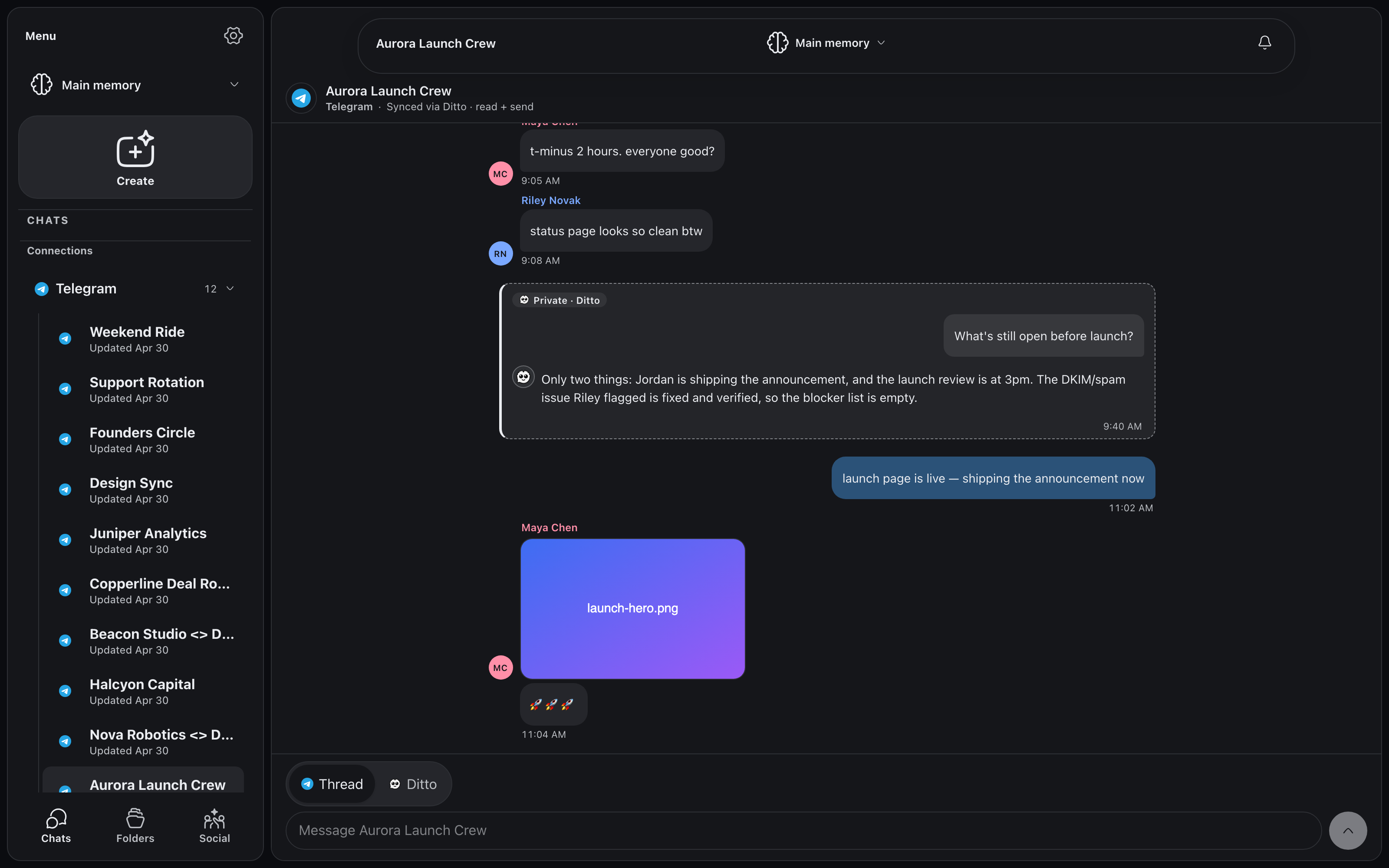
Your Telegram, rendered like Telegram
Bubbles, replies, media, typing: your Telegram chats render 1:1 inside Ditto, and they stay live. A message that lands in Telegram lands in Ditto at the same moment. Nothing to refresh, nothing to import.
Slack
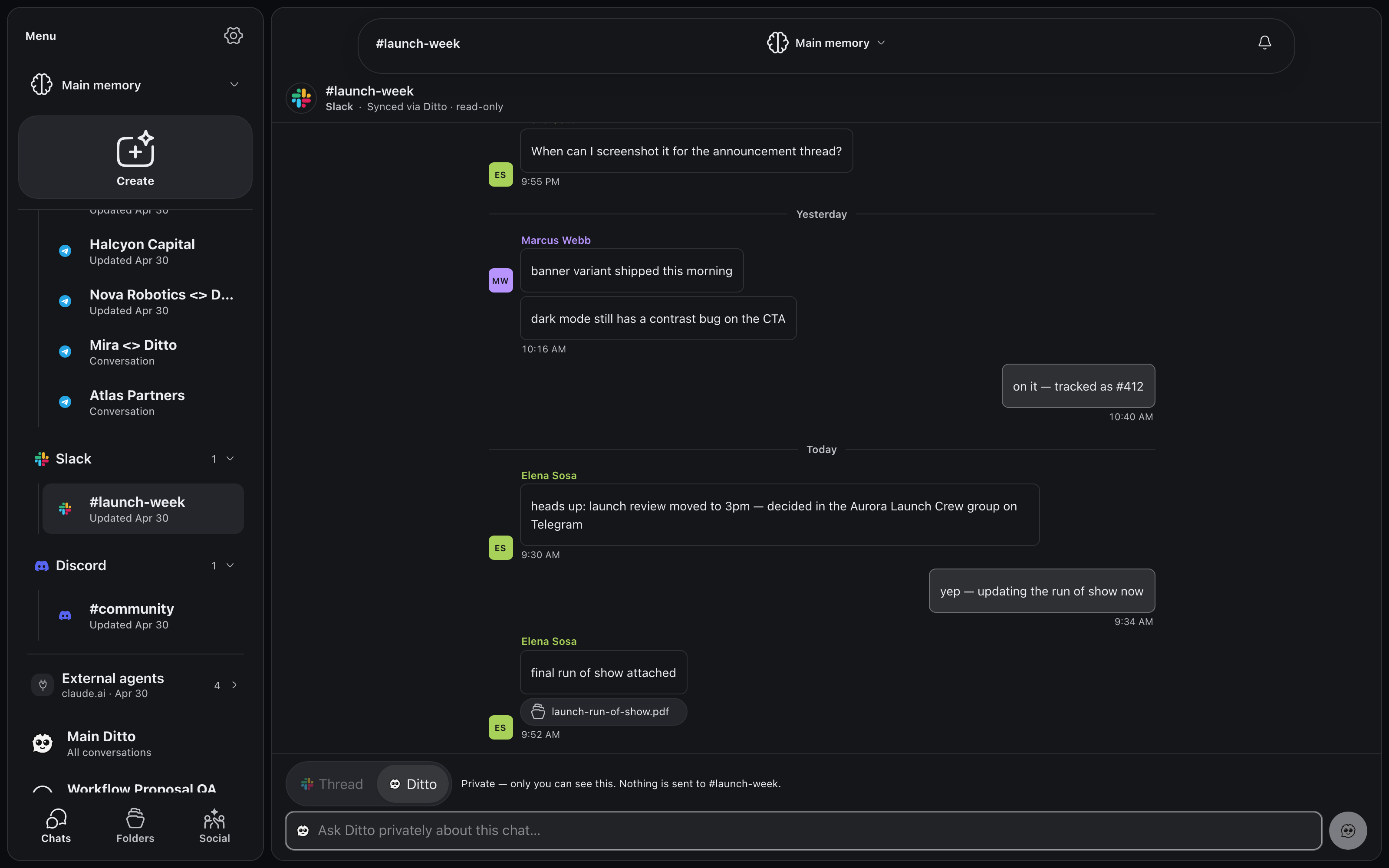
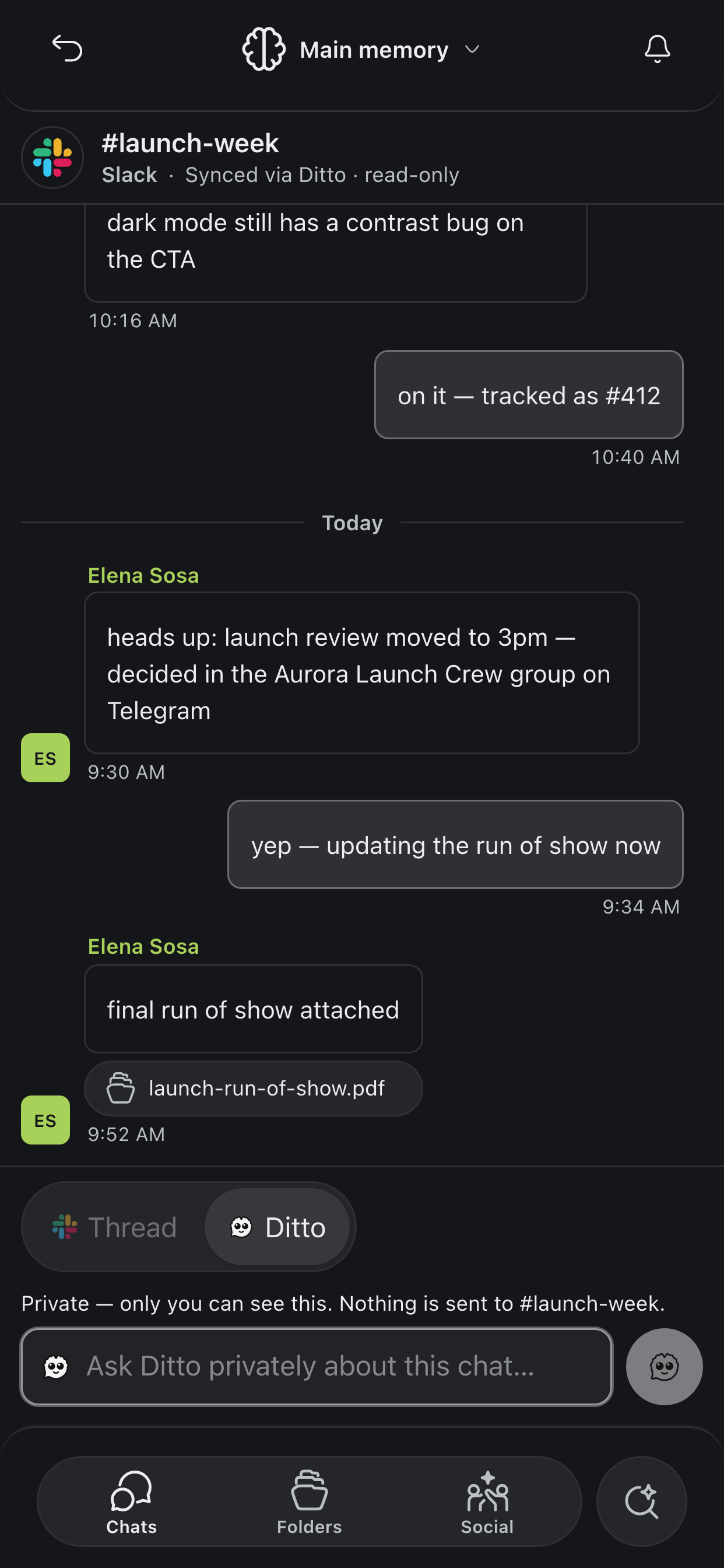
Slack channels beside your DMs
#launch-week sits one click from your Telegram threads: channels, files, and DMs from your workspace in the same inbox, with the same memory underneath. This one is read-only, so its composer opens straight into a private line to Ditto.
Discord
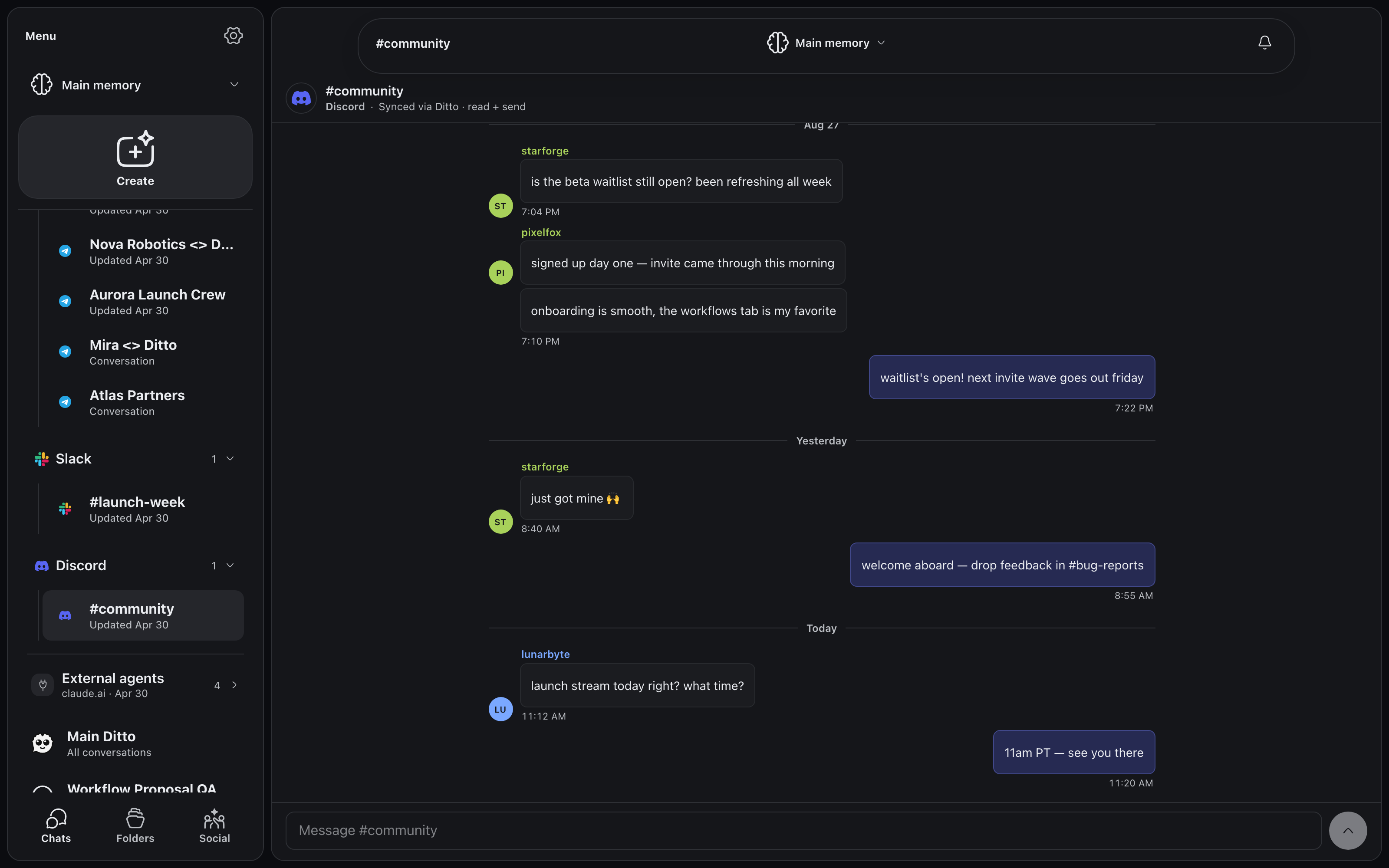
Discord communities too
Your servers and their channels come along. Follow #community while you work, and when a decision happens there, Ditto remembers it with everything else.
Silent Ditto
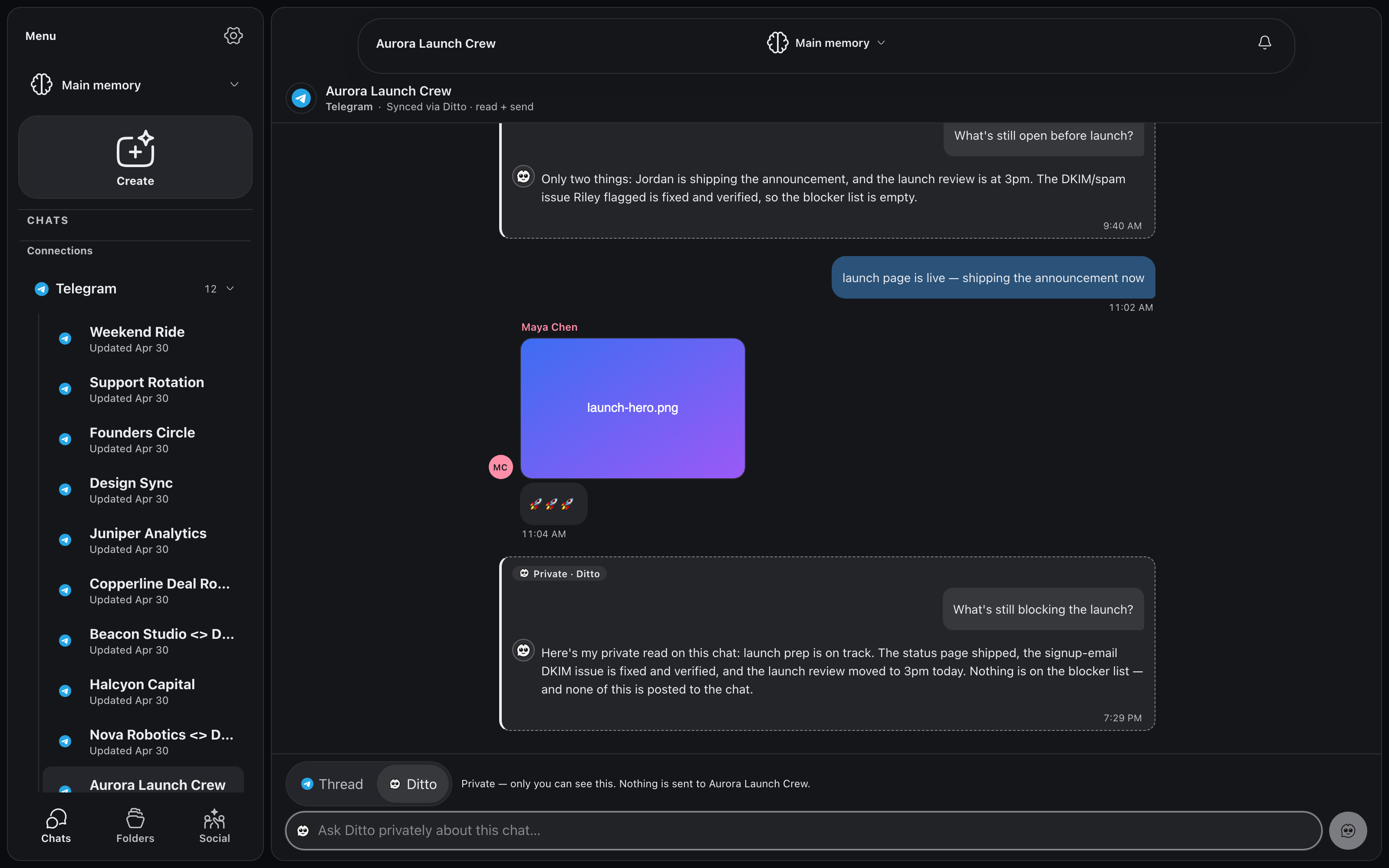
Ask Ditto in the thread. Nobody sees it but you.
Flip the composer to Ditto, or just type "@Ditto", and you're talking to Ditto privately about that chat, grounded in its full history. The exchange renders as a private card inline in the conversation. Nothing is ever posted to the platform, and the composer says so in plain text.
One memory
One inbox, one memory, real workflows
Ask Ditto a question and it answers across every chat you have. The Aurora Launch Crew settled the date in Telegram? Ditto knows, even when you ask from Slack. Agents pick up what your chats decide and act on it.
In your pocket
The whole inbox, on your phone
The same chats, the same sync, the same memory. Marcus flags a
launch bug in #launch-week while you're out; you read it in Ditto
and ask Ditto privately what else shipped, from the same composer.
How it works
1
Connect
Link Telegram, Slack, or Discord. Read-only by default.
2
Stays in sync
Chats mirror into Ditto automatically and stay current.
3
Reply as you
Turn on sending per service and answer from Ditto, as yourself.
4
Everything remembered
Every conversation feeds one memory your agents can use.
Your chats scatter. Your memory shouldn't.
Multi-chat is rolling out to the V2 early-access list first. Join it
and we'll open the door as connectors light up.



 Telegram